
Installing and Logging In
Getting Started — Article 2 of 11
Before you can begin using bizwizIQ Order Manager, you'll need to install the software and connect to your company's database.
This guide will walk you through the basic steps.
Step 1: Download and Install Order Manager
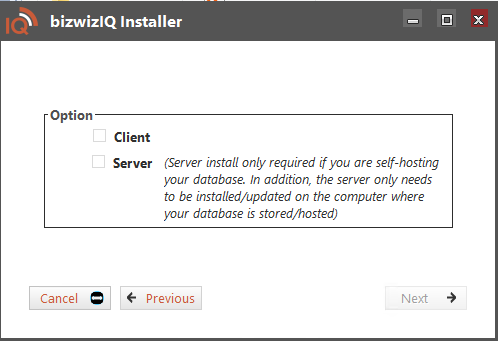
After downloading the bizwizIQ Order Manager installer, follow these steps:
- Locate the downloaded installer file on your computer.
- Double-click the installer to begin installation.
- Follow the installation prompts.
- Review and accept the End-User License Agreement.
- Select the appropriate installation option:
- Client: Installs Order Manager on the computer you will use to access the program.
- Server: Required only if your business will host its own database.
- Click Next to review the installation summary.
- Click Install to complete the installation.
For additional instructions, see Installing bizwizIQ.
Step 2: Connect to Your Database
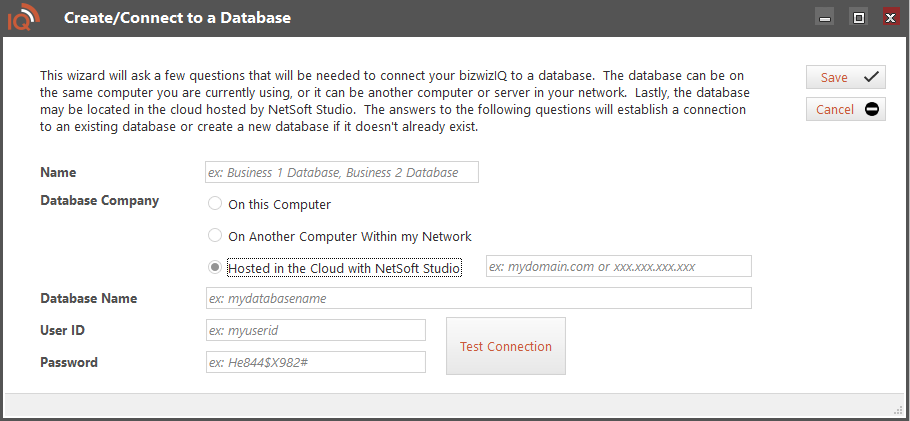
Once Order Manager is installed, you'll need to create or connect to a database.
Order Manager provides three connection options:
- Hosted in the Cloud with Netsoft Studio (Recommended): Connect to a database hosted by Netsoft Studio.
- On This Computer: Create a database on your local computer.
- On Another Computer Within My Network: Connect to a database hosted on another computer within your business network.
Select the option that matches your installation.
If your database is hosted by Netsoft Studio, use the connection information provided to you, including the server address, database name, User ID, and password.
Click Test Connection to verify that the connection settings are correct.
For detailed instructions on each option, see Create/Connect to a Database.
Step 3: Logging In to Order Manager
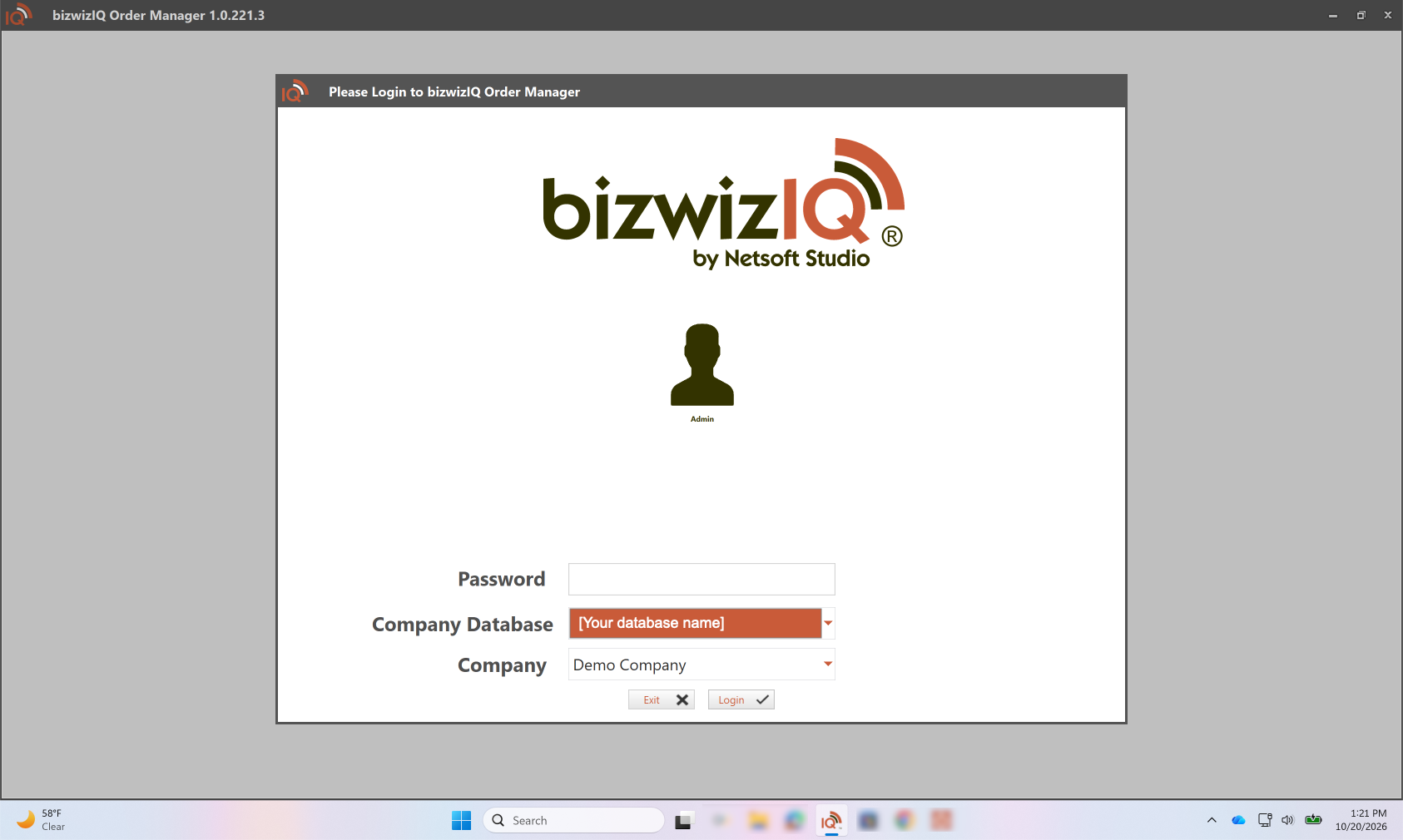
When you start bizwizIQ Order Manager, the login window will appear.
First-Time Login
When a new database is created, Order Manager includes a default user account.
Use the following credentials for your initial login:
- Username: Default
- Password: 1234
Understanding the Login Window
The login window contains the following information:
User: Select the user account you want to use to access Order Manager.
Password: Enter the password associated with the selected user.
Company Database: Select the database you want to connect to.
Company: Select the company you want to work with.
Once you've entered your password and selected the appropriate database and company, click Login.
Order Manager will open using the selected user account.
Important: Change the Default Password
For security, we strongly recommend changing the default password immediately after your first login.
To change the password, open Users & Groups, select the Default user account, and update its password.
Order Manager does not automatically prompt you to change the default password.
For more information, see Article 5: Setting Up Users and Groups.
Understanding Limited Mode
When you first create or connect to a new database, Order Manager may operate in Limited Mode until the database is recognized as licensed through the Netsoft Customer Management System.
Limited Mode allows you to evaluate Order Manager with restrictions on the number of records and certain features.
For additional information, see Limited Mode.
What's Next?
Now that Order Manager is installed and connected to your database, you're ready to become familiar with the program.
Next Article: Understanding the Order Manager Interface
Learn how to navigate the main screen, use program tabs, and work with the different windows in Order Manager.