
Getting Started — Article 6 of 11
Before you begin creating customer orders, you'll want to set up your customer information in bizwizIQ Order Manager.
Order Manager allows you to maintain customer records, including contact information, addresses, and other details needed to manage orders and customer relationships.
Customers can be added individually. Customer importing is currently available for users migrating from the Legacy Order Manager.
Step 1: Open Customer Management
To access customer information:
Log in to bizwizIQ Order Manager.
Click the CUSTOMERS tab.
The Work With Customers window will automatically appear.
From this window, you can search for existing customers, add new customers, and maintain customer information.
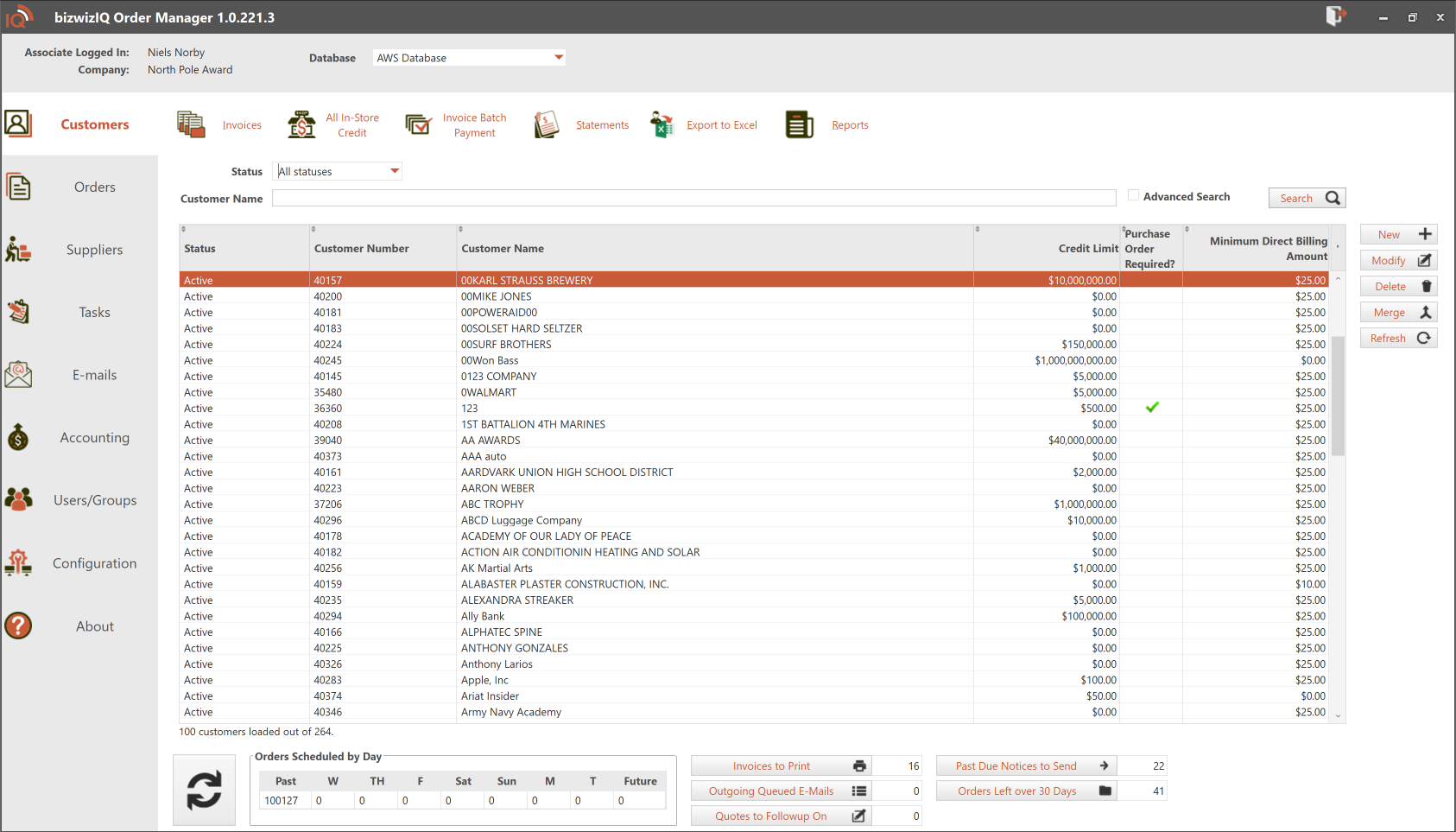
For additional information, see Work With Customer Screens.
Step 2: Create a New Customer
To add a customer:
- From the Work With Customers window, click New.
- The Maintain Customer window will open.
- Enter the customer's information.
- Review any additional settings applicable to the customer.
- Save the customer record.
Once saved, the customer will be available for use when creating orders.
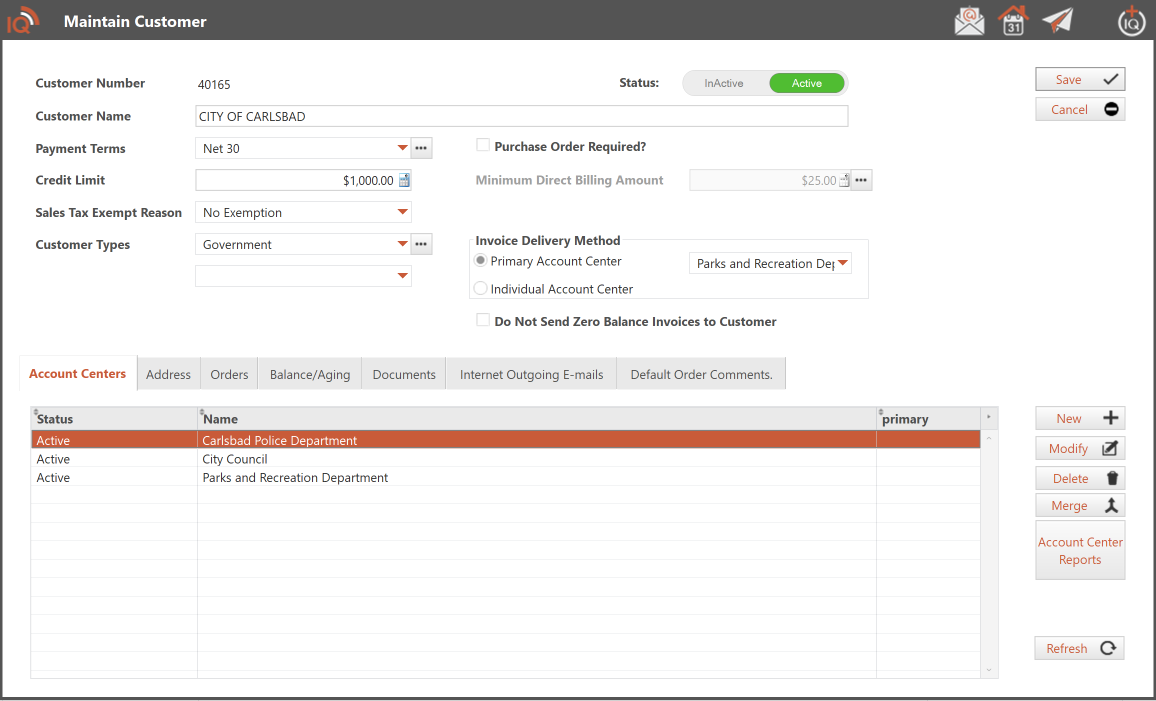
For more detailed instructions, see Maintain Customer Window.
Step 3: Review Customer Information
When creating or maintaining a customer, review the information needed for your business.
Depending on your requirements, this may include:
- Customer Name: The business or individual associated with the account.
- Contact Information: Phone numbers, email addresses, and contact details.
- Addresses: Billing and shipping information.
- Customer Settings: Additional information used when processing orders.
Keeping customer information accurate helps reduce errors during order entry, invoicing, and customer communications.
Step 4: Maintain Existing Customers
Customer information can be updated whenever necessary.
To modify an existing customer:
- Open the Work With Customers window.
- Search for or locate the customer.
- Select the customer and open the Maintain Customer window.
- Make the necessary changes.
- Save your updates.
Review customer information periodically to keep your records accurate.
Step 5: Import Customers from Legacy Order Manager
If you're an existing customer upgrading from the Legacy Order Manager, you can import your existing customer records into bizwizIQ Order Manager.
This eliminates the need to manually reenter your customer information during the transition.
Important: Customer importing is currently available only for users migrating from the Legacy Order Manager. If you're a new bizwizIQ customer, you will need to add your customers individually.
What's Next?
Now that you've learned how to create and maintain customers, you're ready to begin setting up the products and services your business sells.
Next Article: Setting Up Products and Pricing